- Install from PyPI: https://pypi.org/project/jupyterlab/4.5.0rc0/ or conda-forge https://anaconda.org/conda-forge/jupyterlab/files?version=4.5.0rc0
pip install --pre --upgrade jupyterlab==4.5.0rc0
Release Notes
JupyterLab 4.5 includes a number of new features (described below), bug fixes, and enhancements. This release is compatible with extensions supporting JupyterLab 4.0. Extension authors are encouraged to consult the Extension Migration Guide which lists deprecations and changes to the public API.
Performance and windowing
The default windowing mode is now contentVisibility which improves cell rendering and alleviates previously reported issues. The minimap can be enabled for all windowing modes and all notebooks via the Settings menu, or by toggling the minimap per notebook with the View → Show Minimap option. Additional fixes improve layout containment and scrollbar behavior when working with long cells.
Notebook improvements
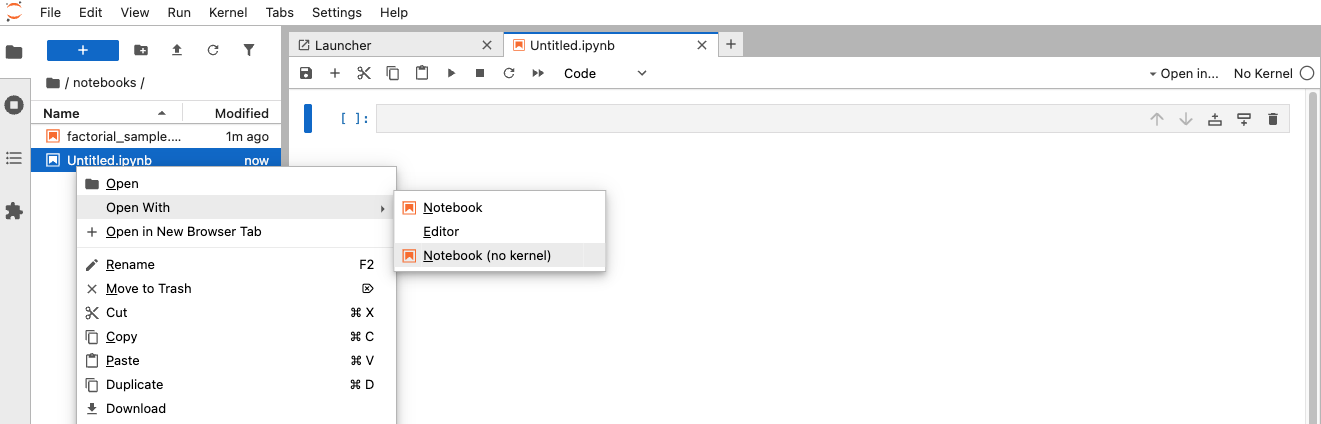
Saving large notebooks is now faster and more responsive thanks to streamed uploads and users can now open notebooks without starting a kernel, via the Open With context menu option.
Markdown support has been expanded for using grid and flex based layouts and the Table of Contents has been significantly improved to better handle markdown headings, fixing issues with HTML tags, comments, and horizontal lines.
Copying and pasting cells across browser tabs is now supported and the “Line Wrap” toggle in settings now correctly applies line wrapping to cells.
Other improvements include: restored scrolling to in-notebook links, manual saving support in collaborative mode, and improved performance and memory usage when streaming text outputs.
Debugger and Console improvements
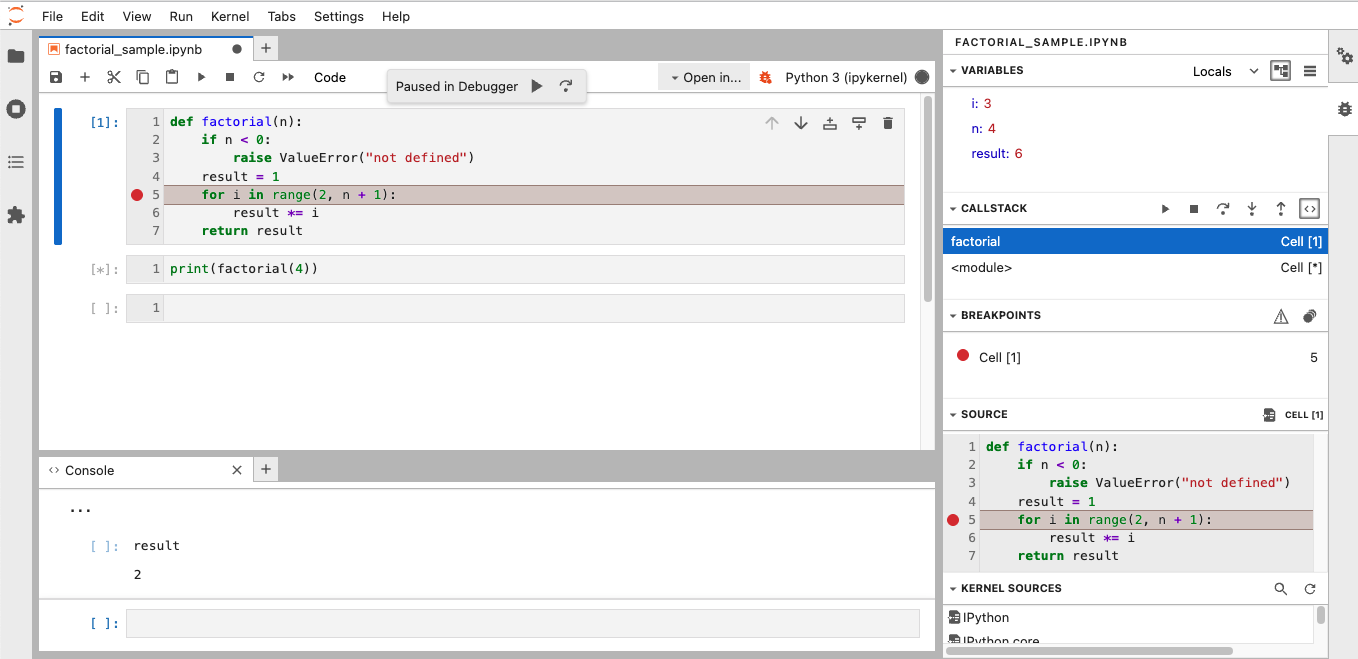
The debugger’s evaluate dialog has been replaced with an interactive console with syntax highlighting and code completion, and the variables panel now preserves its contents when switching editors. Selected breakpoints are now visually highlighted and breakpoints correctly handle empty lines and duplicate clicks. A visual indicator is displayed when the debugger is paused.
Debugger panels as well as console debugging panels now reference the cell execution count helping users relate breakpoints, call stacks and source code to the cells they originate from.
For the Log Console, users can now configure the default log level via settings, as well as customise the toolbar.
Terminal enhancements
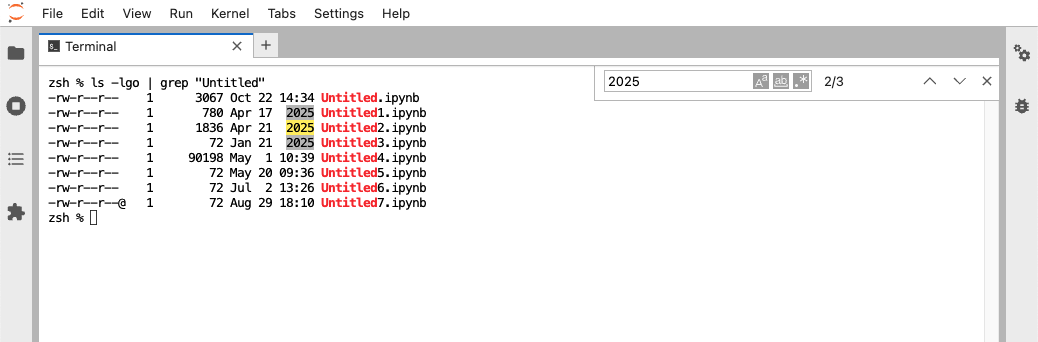
The terminal now includes search functionality, with search highlights that adapt to theme changes.
Media and content support
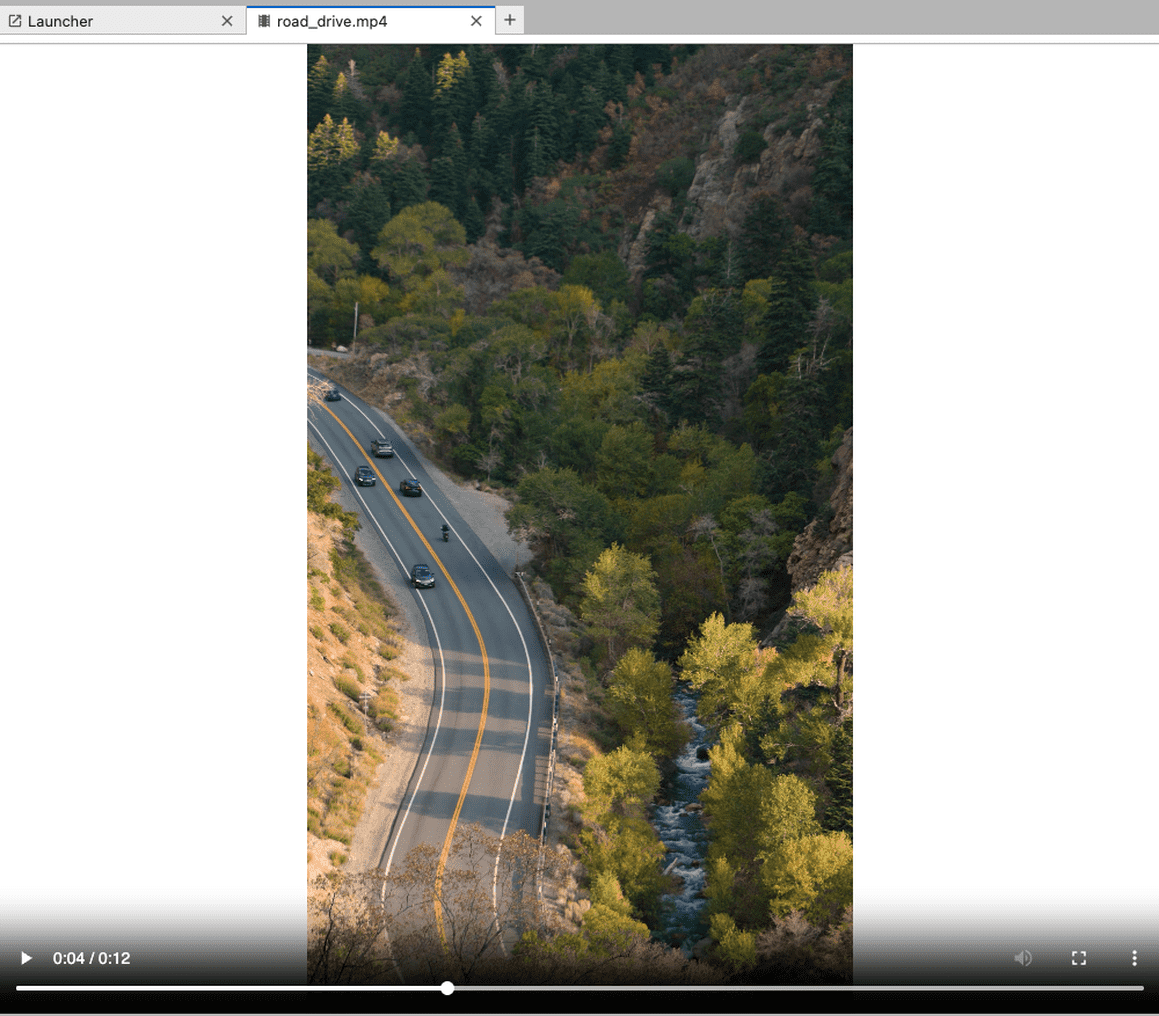
JupyterLab now includes built-in audio and video viewers, allowing users to open audio and video files directly from within JupyterLab.
File browser enhancements
Uploaded files can auto-open, with controls for size limits and behavior, and a new allowFileUploads setting provides control over upload permissions.
There is now a menu option for creating new Python, R, or Julia files, and a “Select All” command has also been added, also accessible via the Ctrl + A keyboard shortcut.
Users can now configure file browser breadcrumbs through the settings editor options breadcrumbsLeftItems and breadcrumbsRightItems.
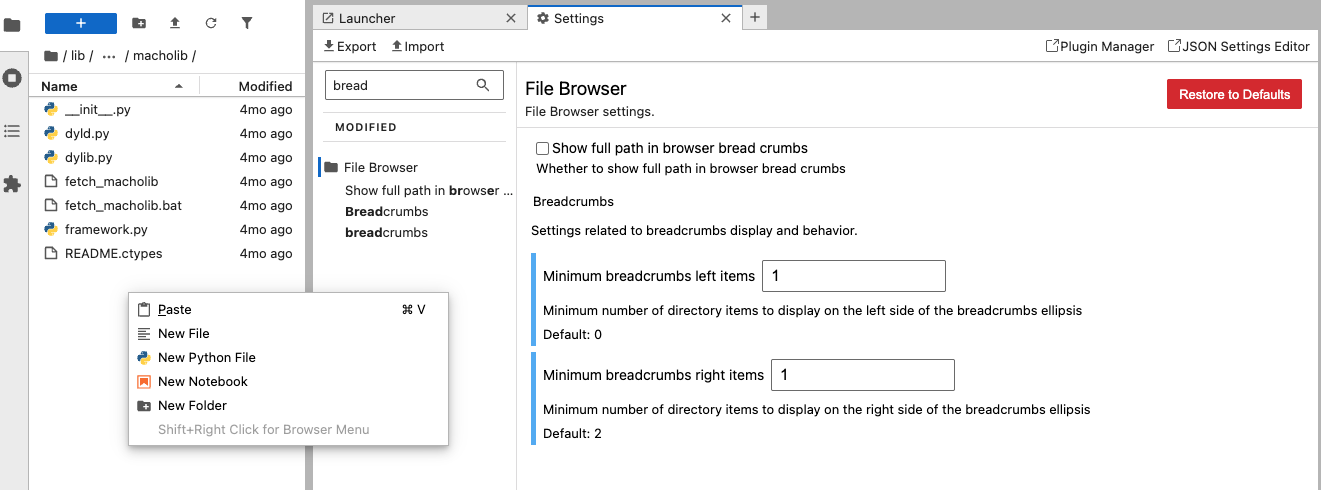
Updates to file dialogs and navigation have addressed column spacing, preferred-directory handling and double-click behavior.
Keyboard shortcuts and commands
Code fold and unfold commands have been added and shortcuts for these can be set in the settings editor.
The “Show Workspace Indicator” command has been added to the command palette and the “Send Code to Console” shortcut has been restored. The previous issue involving editing shortcuts on Safari loosing focus, has been resolved.
Settings
The settings editor now supports a toSkip configuration to hide specific plugins from view.
A new setting, addExtraLineOnCellMerge, allows to remove the extra line added when merging cells, which is expected behavior based on the classic notebook.
User interface and accessibility
JupyterLab can now automatically switch between light and dark themes when “Synchronize with System Settings” is enabled.
Dialog components display buttons and checkboxes on separate lines for better readability, and selections in the terminal under high-contrast themes have better visibility.
Keyboard navigation and tab order in the status bar has also been improved.